Log spending in 5 seconds.
No bank account syncing.
Most personal finance apps are bloated with complicated menus or demand costly monthly subscriptions alongside access to your bank cards. Expense Sheet returns to basics: open, log an entry in 5 seconds with a built-in calculator, and see your balance across multiple accounts. 100% offline and on-device.
Why People Give Up on Budgeting Apps
The primary reason personal bookkeeping habits fail is overcomplicated software and privacy fears over bank access.
- • Slow logging: recording a quick coffee requires navigating 4 menus, sub-accounts, tags, and payees.
- • Recurring paywalls: charging $5–10 monthly just to unlock basic category charts or local export.
- • Data privacy risks: requiring online banking credentials and beaming transaction histories to remote servers.
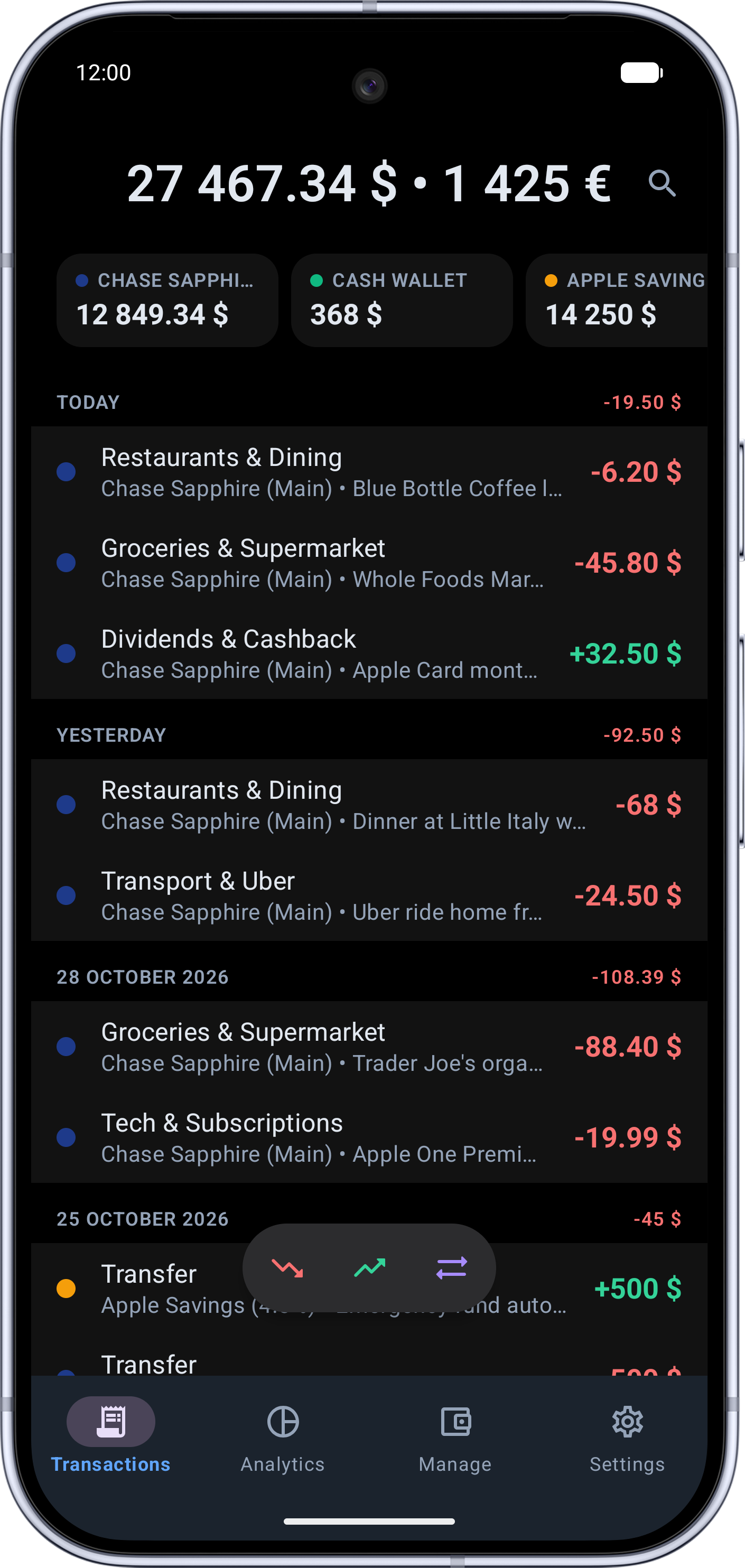
- • 5-second logging: tap the action button, calculate the amount directly in the keypad, select a category — done in 1 tap.
- • Honest pricing: core budgeting is completely free. Optional one-time lifetime Premium unlocks unlimited accounts with zero recurring fees.
- • Total privacy: zero bank account linking or cloud tracking. Your records stay strictly on your local device.
Everything You Need for Peace of Mind
Rapid Logging & Built-In Calculator
One-tap quick action panel with a built-in mathematical calculator right on the numpad. Calculate totals on the fly without mental math.
Period Comparisons & Analytics
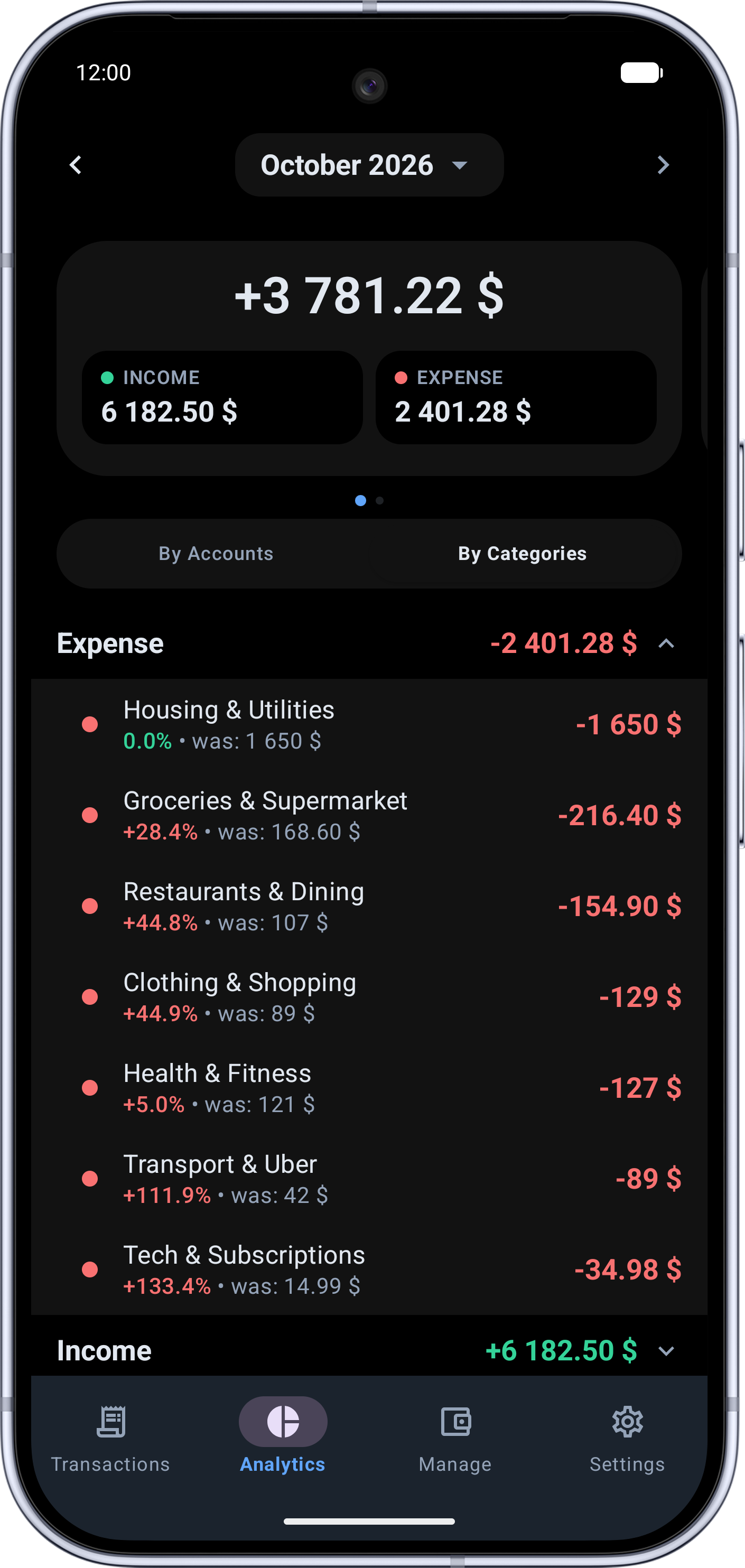
Detailed category breakdowns with automatic percentage comparison against the previous period (e.g. +12% vs last month) across day, week, month, or year.
Multiple Accounts & Currencies
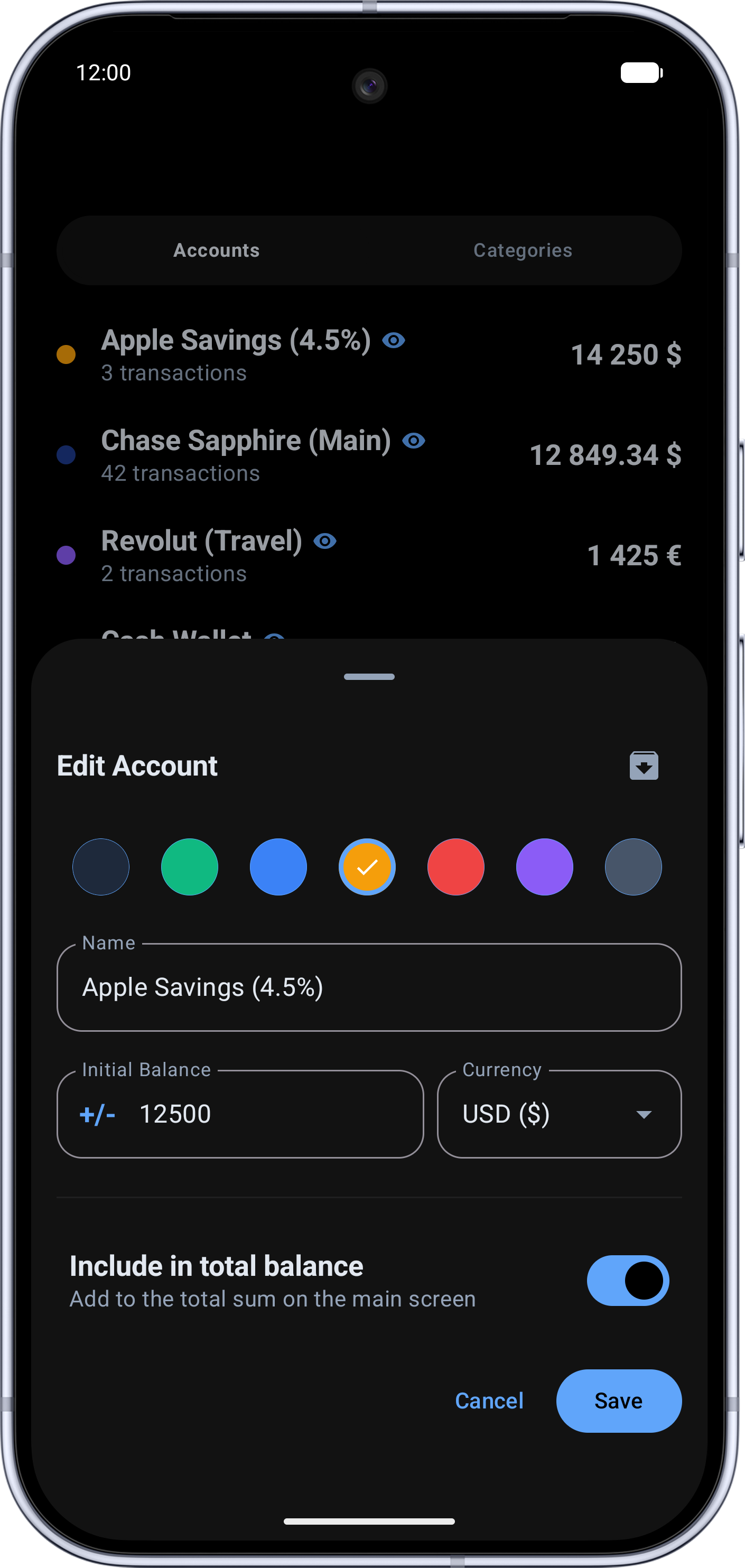
Manage cards, cash, savings, and crypto in any currency. Transfer funds with automatic exchange rate memory and separate total balance toggles.
100% Offline Capability
Record expenses anywhere without internet: aboard flights, roaming internationally, or inside basement stores.
CSV Export & Full Database Backup
Export your transaction ledger to clean CSV for Excel or Google Sheets, and create verified offline database backups to restore on a new device.
Swipe Gestures & 100% Privacy
Swipe right to duplicate recurring entries, swipe left to delete with haptic feedback. Your balances and transactions never leave your phone.
Clean UI Built for Rapid Entries
Comfortable dark theme, legible numbers, and distinct category colors.
Balance & Transaction Feed
Analytics & Period Comparison
Accounts & Data Management
Frequently Asked Questions
Why doesn't the app automatically link with banks?
Bank syncing requires sharing sensitive account credentials or bank APIs with third-party aggregators, creating inherent security vulnerabilities. Furthermore, automatic tracking detaches people from actual awareness of their spending. Manual 5-second logging builds mindfulness without risking your banking credentials.
Does Expense Sheet require an internet connection?
No. Expense Sheet is built with a strict Local-First architecture. All entries stay inside an on-device database, allowing seamless tracking while traveling or in areas without cell reception.
How do I migrate records to a new phone?
The settings screen features Backup and CSV Export functions. You can export a full database backup (.db) to your phone's storage and tap “Restore database” on your new device, or export a CSV spreadsheet for Excel analysis.
Is there a subscription fee?
No subscriptions. The core expense tracker is free to use. An optional one-time lifetime purchase (ExpenseSheet Premium) removes ads and unlocks unlimited accounts, categories, and backup features forever.
Take Control of Your Daily Expenses
Download Expense Sheet for free and build a mindful, subscription-free budgeting habit today.