Stop confusing margin with markup.
See your real profit limits.
Offered a 20% discount and ended up losing money? Enter your cost and markup — Margin Pro computes a complete discount schedule, visualizes your break-even zero point, and calculates net revenue factoring in taxes.
The Costly Retail Math Trap
A 50% markup does not mean you pocket 50% profit. In reality, your gross margin is only 33.3%.
- • Unplanned sale losses: applying a 25% markup and offering a 20% discount leads straight to a net loss once taxes are applied.
- • The percentage illusion: discounts are deducted from the retail price, whereas markup is added to cost. They are not equal.
- • Mental calculations: doing napkin math or opening complex spreadsheets during customer negotiations takes too long.
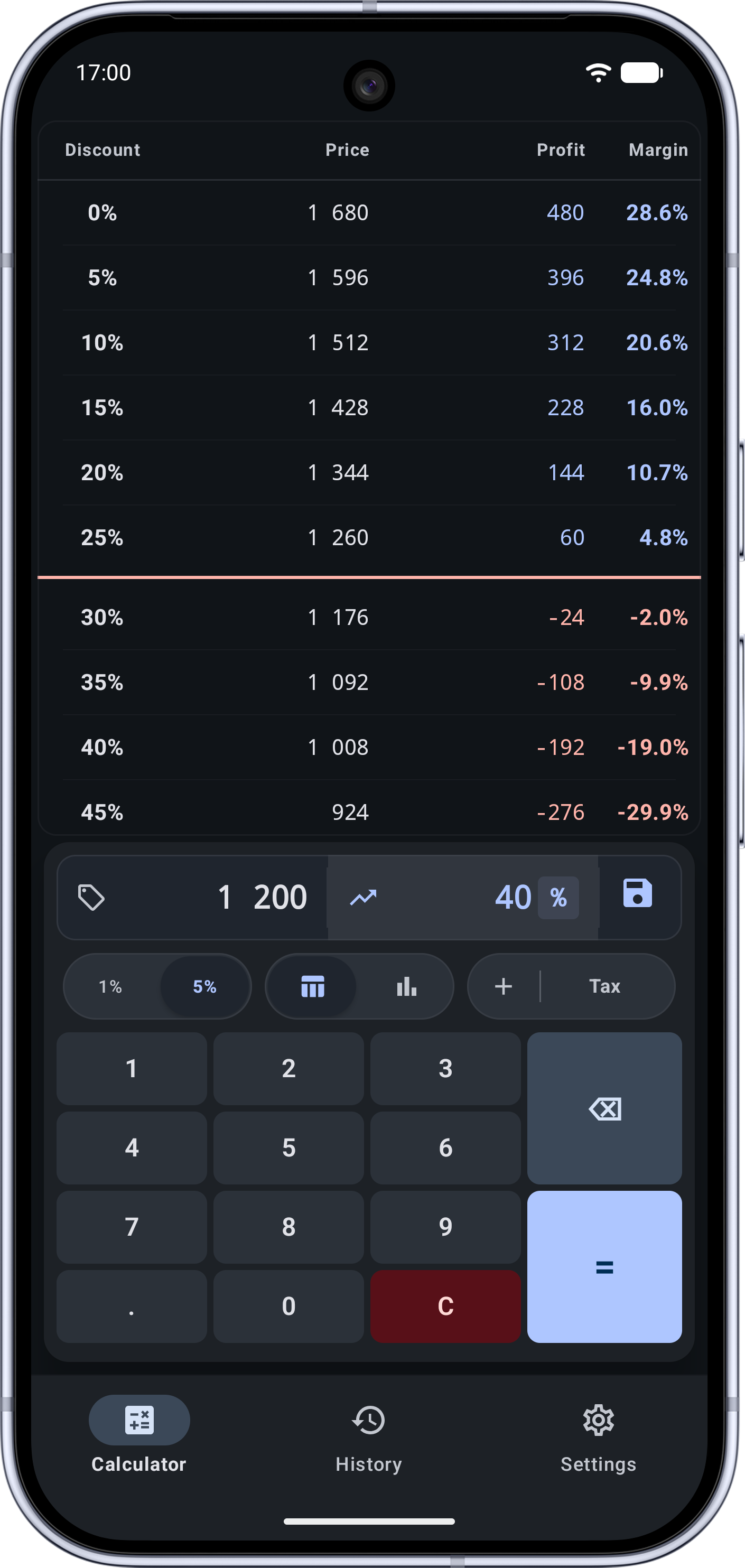
- • Full discount matrix: instant step-by-step table (1% or 5% steps) mapping prices, profits, and margins down to negative territory.
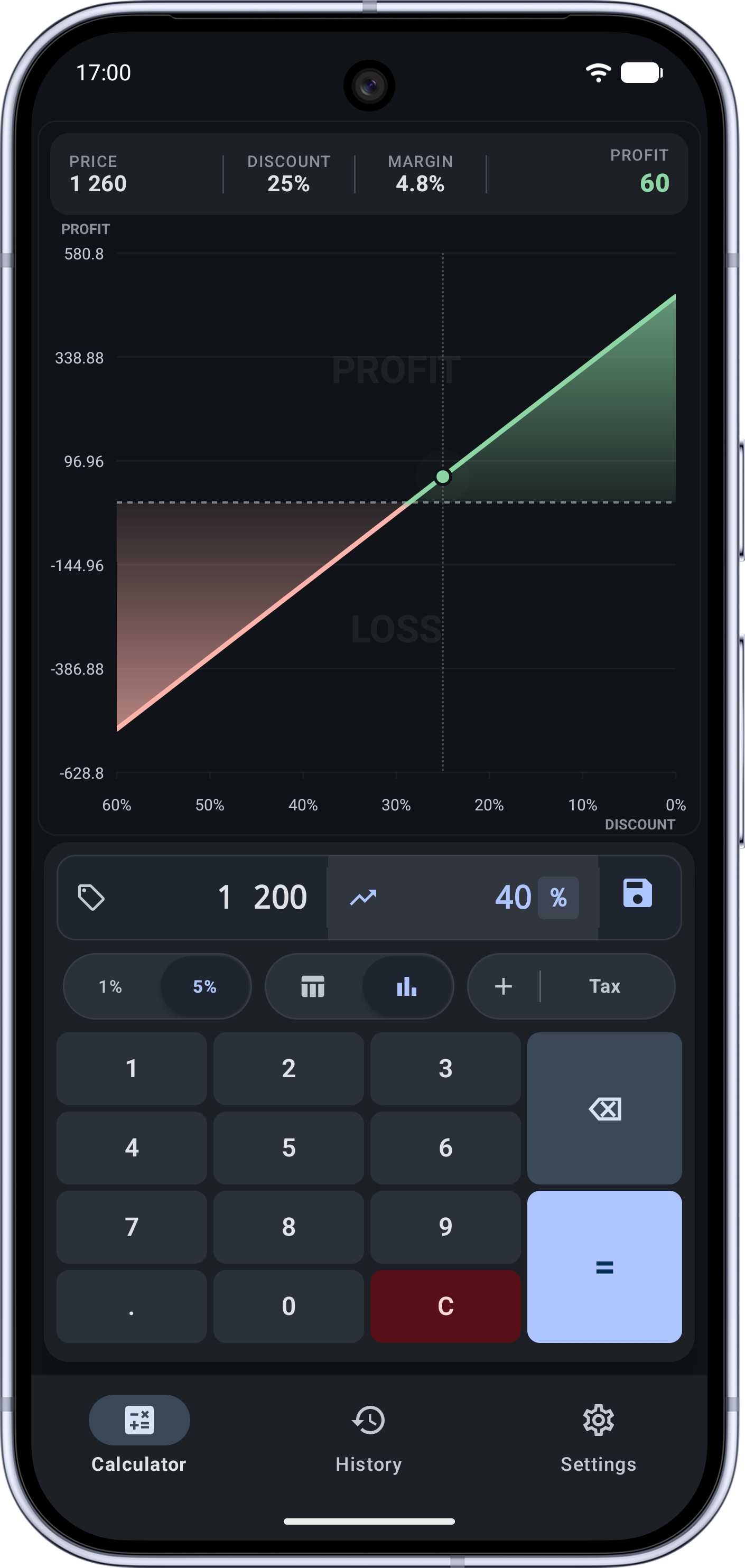
- • Break-even curve: visual zero line clearly highlighting the maximum safe discount before you begin losing money.
- • Smart taxes: seamless calculations with built-in or custom tax rates (0%, 5%, 7%, 20%, or custom VAT/Sales tax).
Precise profitability control for every deal
Margin % or Multiplier (x)
Enter pricing targets the way you prefer: as a target profit margin (%) or as a wholesale cost multiplier (e.g., 1.5x, 2.0x).
Interactive Break-Even Chart
Dynamic visual chart showing green profit zones, red loss zones, and an exact zero-profit break-even line.
Step-by-Step Discount Table
Detailed breakdown of discounted prices with 1% or 5% increments. Auto-scrolls directly to the zero-profit threshold.
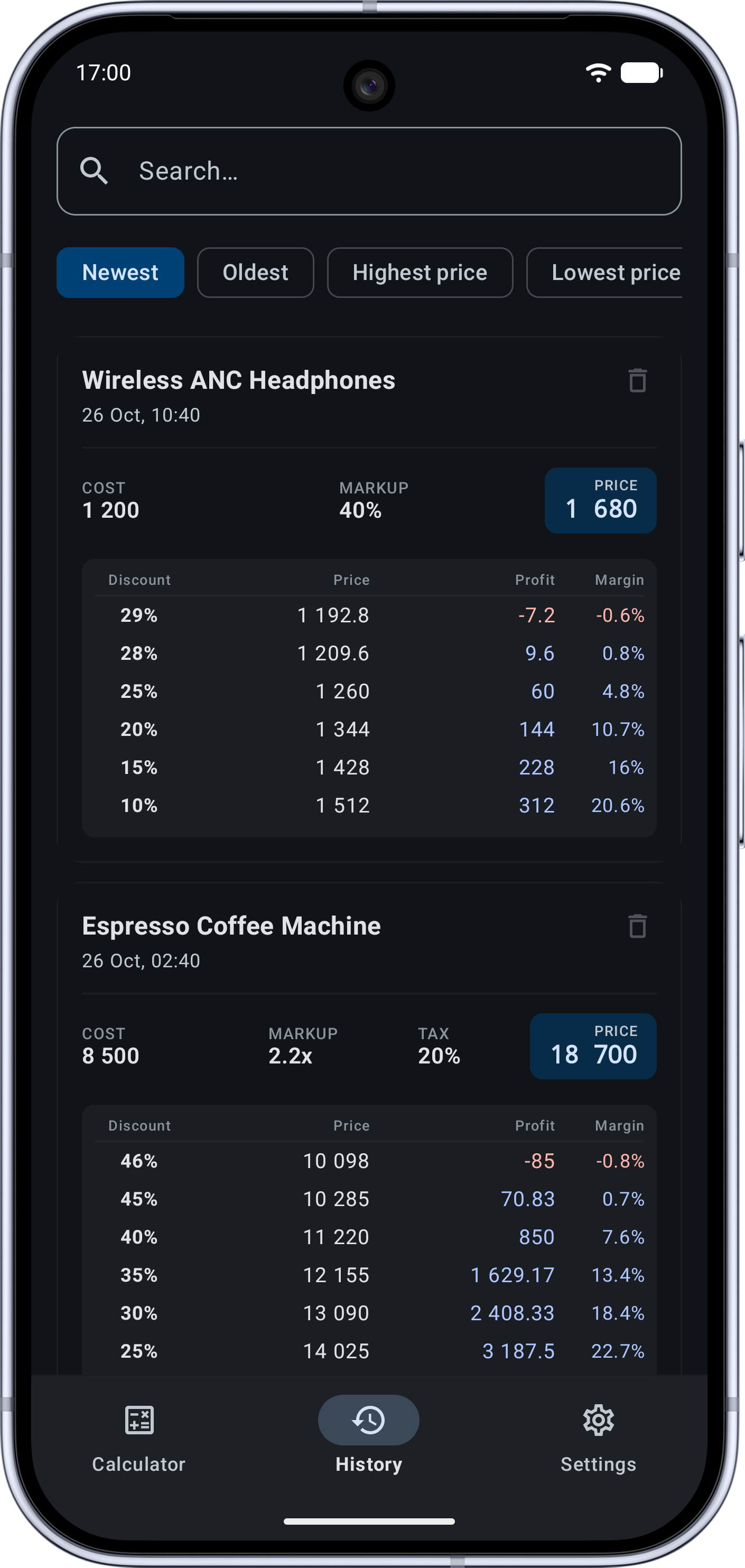
Deal History & Fast Search
Store calculations in an indexed SQLite database, search through past items, and restore calculations to the keypad with a single tap.
Custom Ergonomic Keypad
Built-in numeric keyboard tailored for fast one-handed data entry: large key targets, quick clear, and dedicated calculate actions.
100% Offline & JSON Backup
All data remains strictly on your smartphone. Easily export and import your saved records via standard JSON files through system storage.
Built for Rapid Commercial Decisions
Seamless switching between detailed tabular breakdowns and interactive graphical analysis.
Break-Even Chart
Deal History
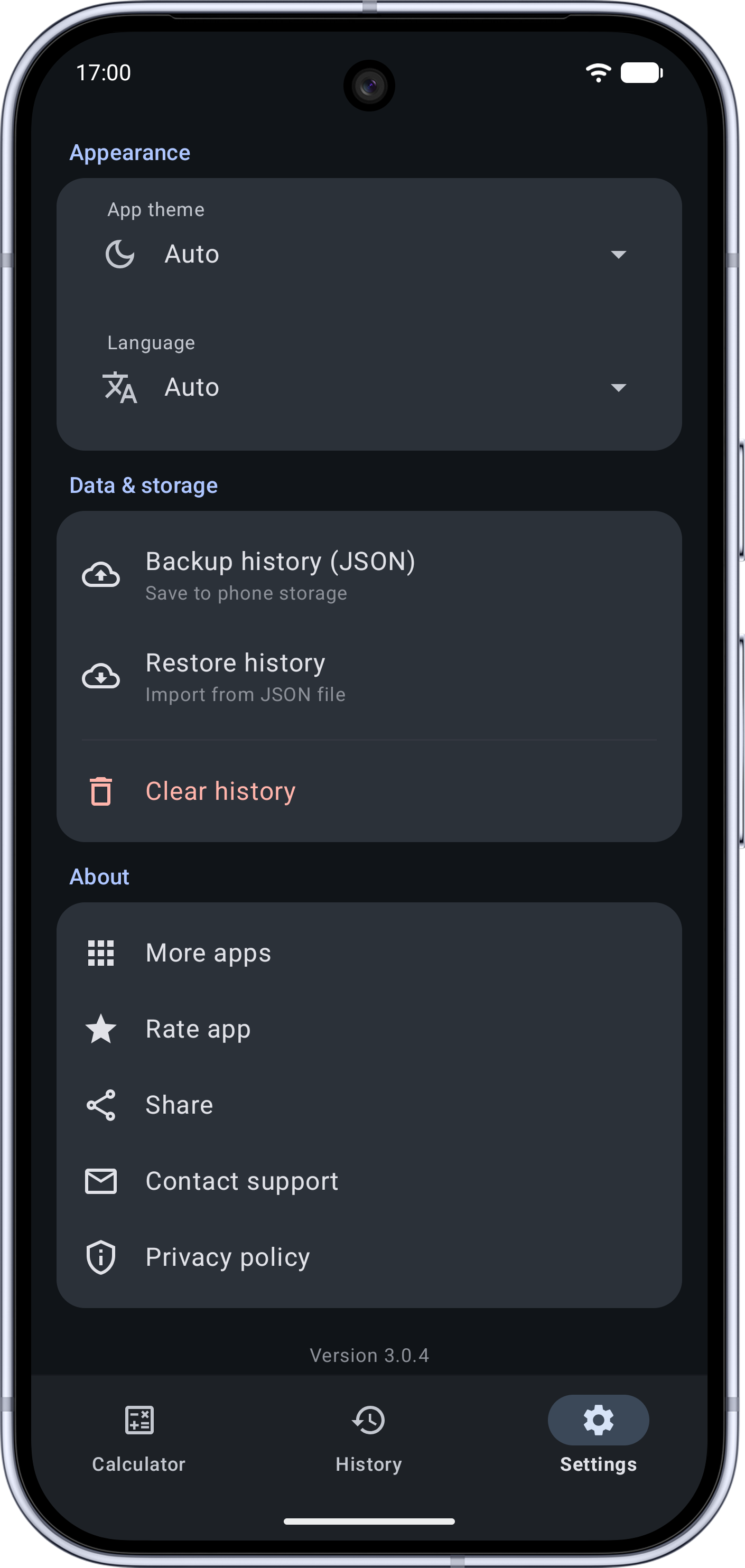
Settings & Backup
Frequently Asked Questions
What is the difference between Margin and Markup?
Markup represents the percentage added on top of your product cost: (Profit / Cost) × 100%. It can exceed 100%, 300%, or more.
Margin is the share of pure profit in your final selling revenue: (Profit / Selling Price) × 100%. Margin can never exceed 100%. Confusing the two often leads to setting deeply unprofitable discounts.
How does the app determine the break-even point?
Based on your cost, markup, and tax settings, the algorithm calculates the exact minimum selling price required to cover expenses. Both the table and the chart highlight the maximum safe discount where profit reaches zero.
Does this app require internet connectivity?
No. Margin Pro does not connect to external servers, operates 100% locally, and keeps all calculations safely stored inside your phone database.
Keep Your Margins Under Control
Install Margin Pro and protect your retail business from hidden losses and miscalculated discounts.