Fair job estimation in 30 seconds.
Zero customer disputes.
Leave paper notebooks and generic calculators behind. Start the job timer with one tap, add stairs using [+] and [-] buttons, send transparent breakdowns via messaging apps, and accurately track your net take-home pay.
Why Paper Notebooks and Generic Calculators Fall Short
Calculating moving jobs on-site is stressful, especially when keeping track of cargo and elapsed time simultaneously.
- • Price disputes: customers question the total and ask why time was rounded up.
- • Lost income: forgetting to log 2 flights of stairs, 50 meters of long carry, or an extra warehouse detour.
- • Crew confusion: forgetting who was paid what, dispatch commission fees, and unsettled client balances.
- • Bulletproof transparency: send itemized receipts to clients as text or image in a single tap.
- • Exact counts down to the meter: fast [-] and [+] buttons for stairs, heavy cargo (>80 kg), and mileage.
- • Register clarity: split cash and card balances, maintain debtor lists, and track true net profit automatically.
Everything You Need on the Road in One Hand
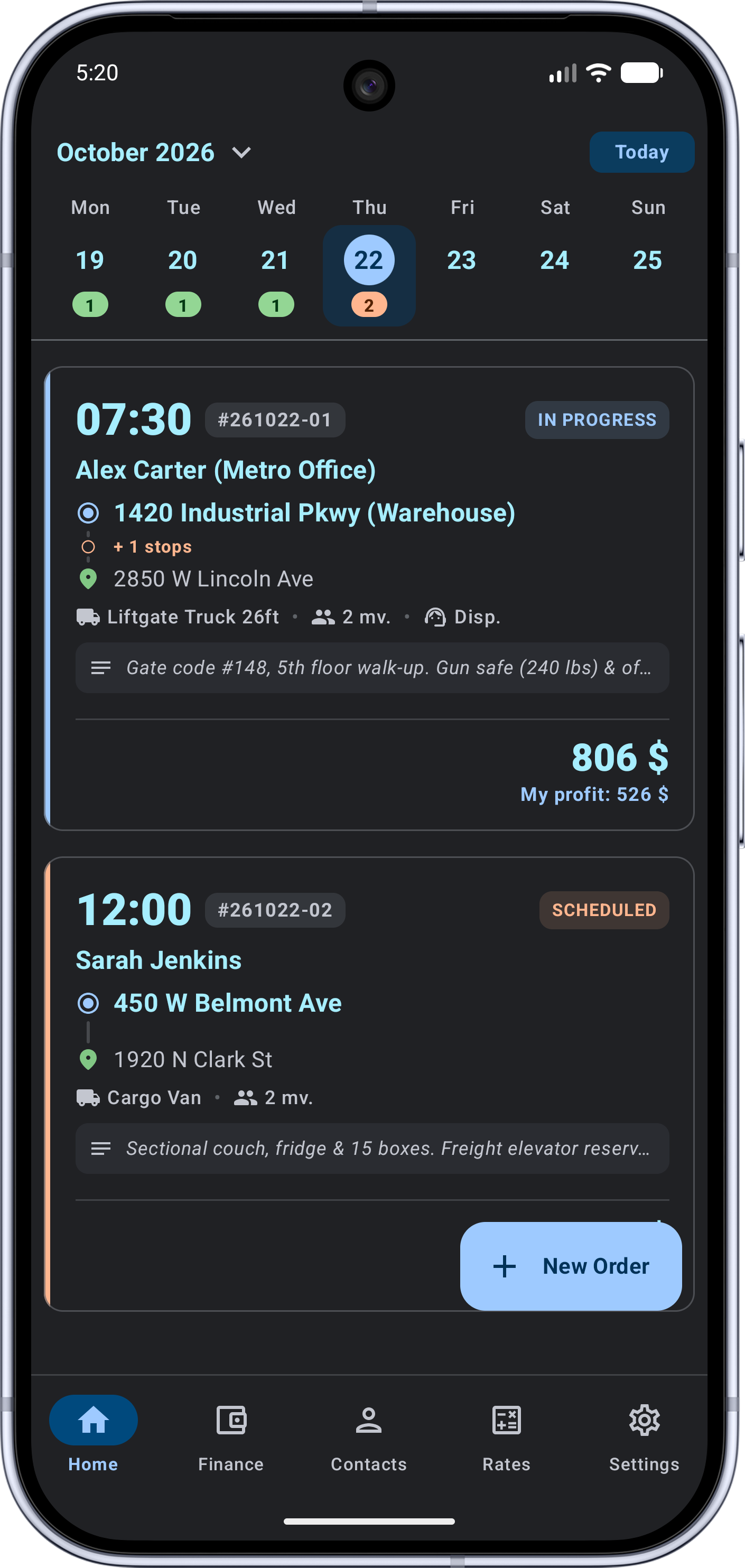
Timer & Flexible Vehicle Rates
Automatic calculation of minimum charge, dispatch call-out, and hourly rates. Set your own minute-rounding rules (e.g., 15 or 30 minutes).
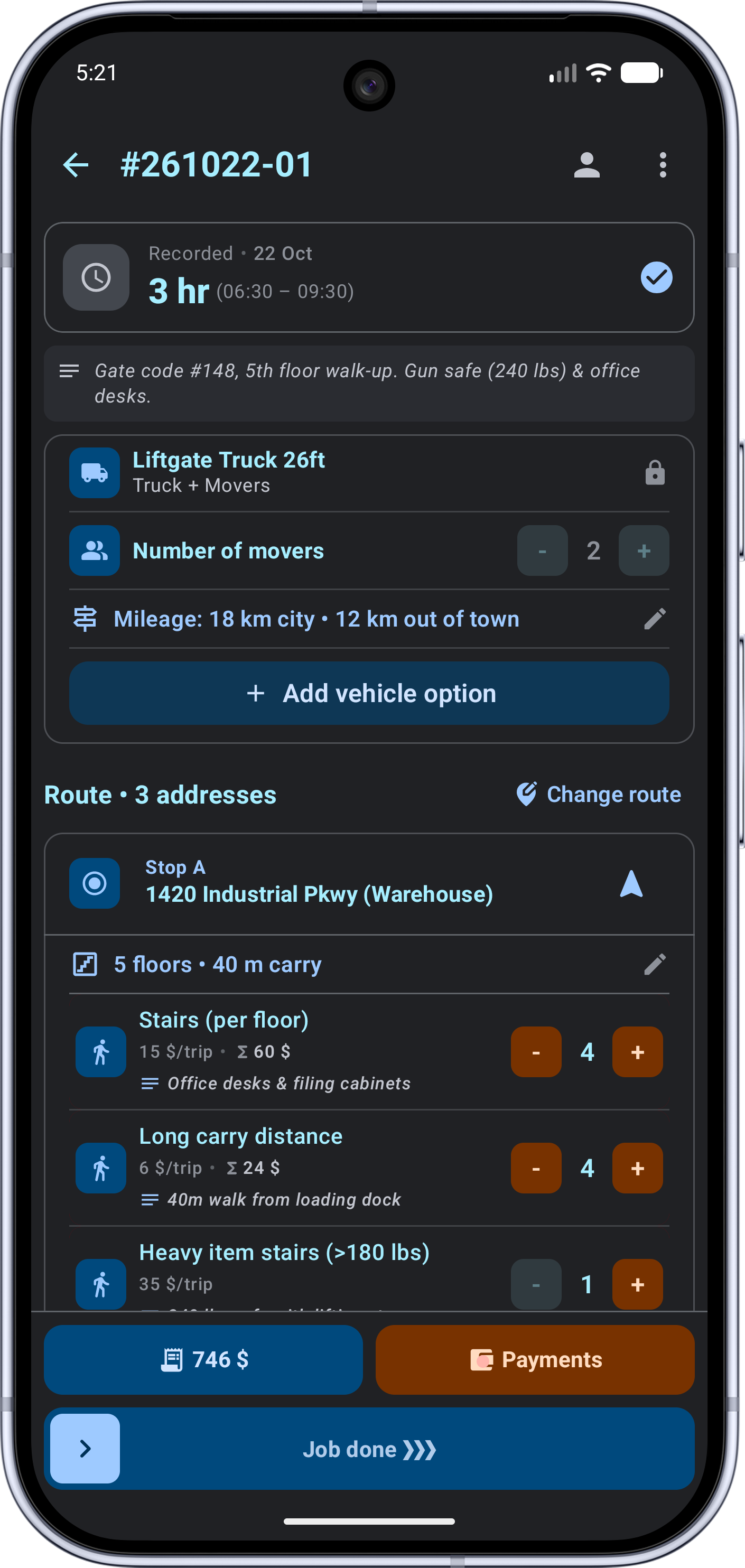
Stairs, Long Carry & Heavy Cargo
Quick [-] and [+] buttons for each item. Bill for walk-up floors, entrance walking distance, heavy pieces (>80 kg), pallet jacks, liftgates, or flat hourly fees.
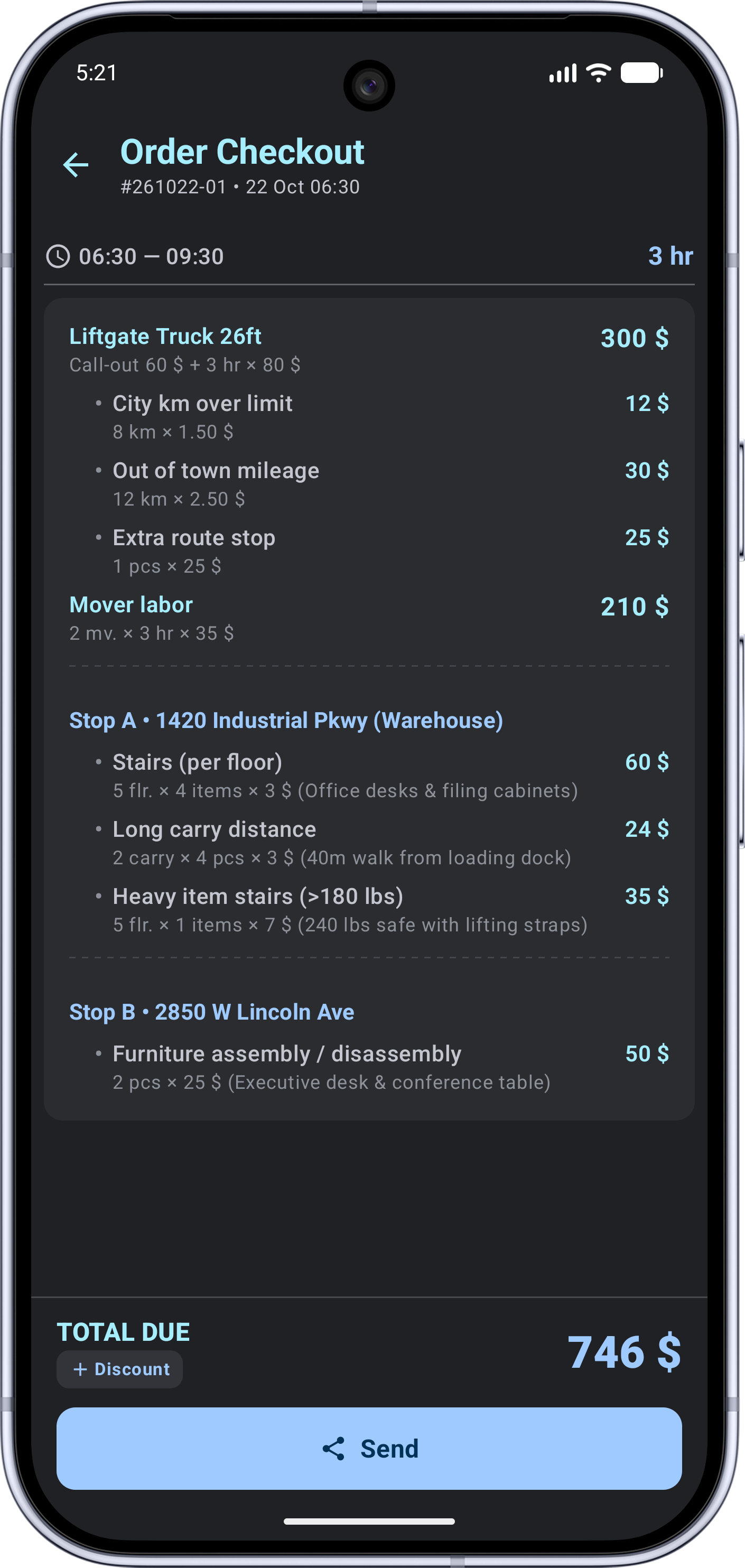
One-Tap Client Breakdown
No more napkin math. Tap a button and generate a clean breakdown with hours, kilometers, and stairs ready to send via WhatsApp, Viber, or Telegram.
Crew Splits & Dispatch Fees
Record who worked in the crew, how much to pay helpers, and what commission goes to the dispatcher. Forward jobs to colleagues for a flat fee or percentage.
Register, Debts & Net Earnings
Separate cash and card accounting. Keep track of customer debts, record fuel and maintenance expenses, and calculate your real take-home profit.
100% Offline Reliability
Runs in underground parking garages, elevators, new construction sites, and remote areas without cellular connection. Your client data stays strictly on your device.
Clean UI Built for Fast On-Site Operation
Large touch targets, high-contrast dark theme, and readable numbers at arm's length.
Stairs, Cargo & Long Carry
One-Tap Client Breakdown
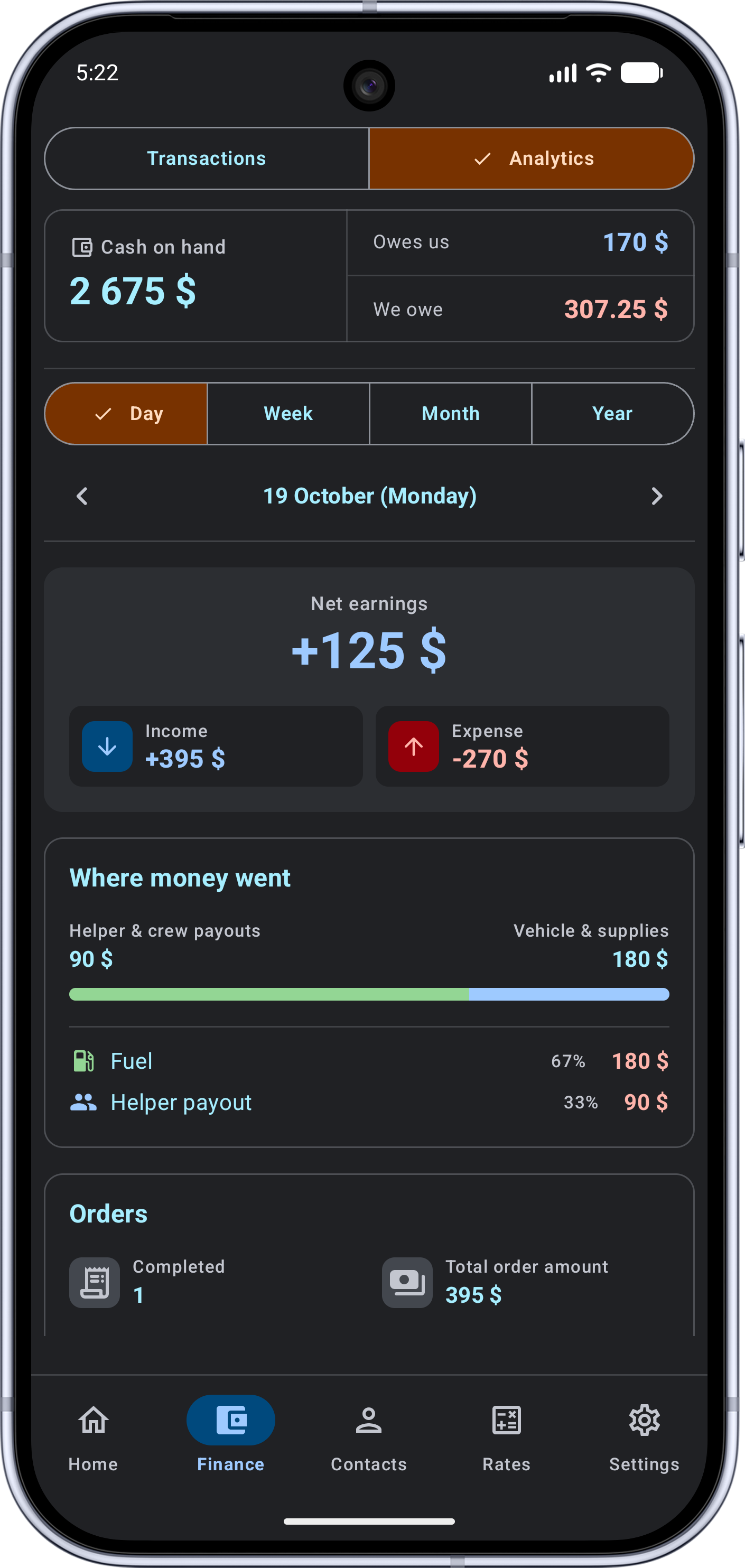
Register, Helpers & Debtors
Test It on Real Jobs First
Every single feature is unlocked from day one. Fully configure your rates and test MoverERP on actual client dispatches completely free of charge.
Full access to all calculators, timer, client management, and sharing receipts via messaging apps.
Removes order count limitations and enables full database backup and export to file.
Frequently Asked Questions
Does it require internet connectivity on the job?
No. The app was built for autonomous offline field work. You can calculate jobs in basements, concrete towers, or on highways with zero cellular signal. Internet is only used when sending breakdowns to customers via messaging apps.
Can customers see my internal expenses or crew payouts?
Never. The client receipt is generated separately: it only displays the truck rate, worked hours, stairs, mileage, and final amount. Your cash registers, profits, and dispatcher percentages remain strictly confidential on your phone.
What happens after the 20 free jobs are completed?
All previously saved jobs, client contacts, and rates remain viewable. To add new jobs, the app will prompt you to activate the affordable PRO monthly subscription through Google Play.
How do I migrate my database to a new phone?
The settings screen features a Backup function. Export your backup file to device storage or send it to yourself, then tap “Restore from file” on your new device.